Want a free Agile or Waterfall project management tool? That is roughly what I set out to build. Not as a side hobby for its own sake, but as a practical answer to something I see often in consulting: teams need a clear way to plan and track delivery, yet they do not always need (or want) the cost, complexity, and overhead of enterprise project software.
In client work, project tools often fall into two extremes. On one end, organizations pay significant license fees for heavy platforms that are powerful, but slow to adopt and overbuilt for many engagements. On the other end, people improvise with spreadsheets, slide decks, sticky notes, and email. That can work for a week and fall apart for a program. There is a middle ground: a lightweight, professional tool that supports both Agile and traditional Waterfall delivery, keeps data on your computer, and does not require a procurement cycle to get started.
That idea became the free Aruvi Project Tool, available under Free Tools on the Aruvi Consultancy Services website. No account required. No expensive software purchase required. Open it in the browser, choose your approach, and start planning.
Security & privacy: the tool runs in your browser. Your plan is not stored on Aruvi servers. It stays on your device and in files you export. Treat exports as confidential. Full note on Free Tools.
Consultants, project managers, and delivery leads should not have to rent a full enterprise suite every time they need a board, a backlog, a Gantt view, or a clean one-page plan for a stakeholder meeting. Many engagements are short, confidential, or simply too early-stage to justify another platform. The goal was simple: give people a professional starting point without locking them into cost or complexity they do not need yet.
Free does not mean unfinished in intent. It means the barrier to use is low enough that a team can try a better way of working today, and still own their project file when they leave the browser tab.
This tool is also a real example of how I build software now: AI-assisted delivery, tight iteration loops, and a clear end goal. I did not start with “let’s ship a platform.” I started with what a consultant needs on a typical engagement:
From that goal, I used AI to speed design and implementation, then tested, refined, and hardened what actually mattered. That mirrors the approach I describe elsewhere: start with a thin slice of real value, prototype quickly, test with how people work, and iterate until the product is useful, not only impressive in a demo.
AI compressed the build cycle. Domain experience (years of project delivery, process work, and client realities) shaped the product decisions. Tools built only for novelty rarely survive first contact with a live engagement. Tools built only on old process without modern delivery take too long to appear. Iteration with a clear end goal is how you get something people can use this week.
When you open the tool, you are not forced into a methodology you do not want. You choose:
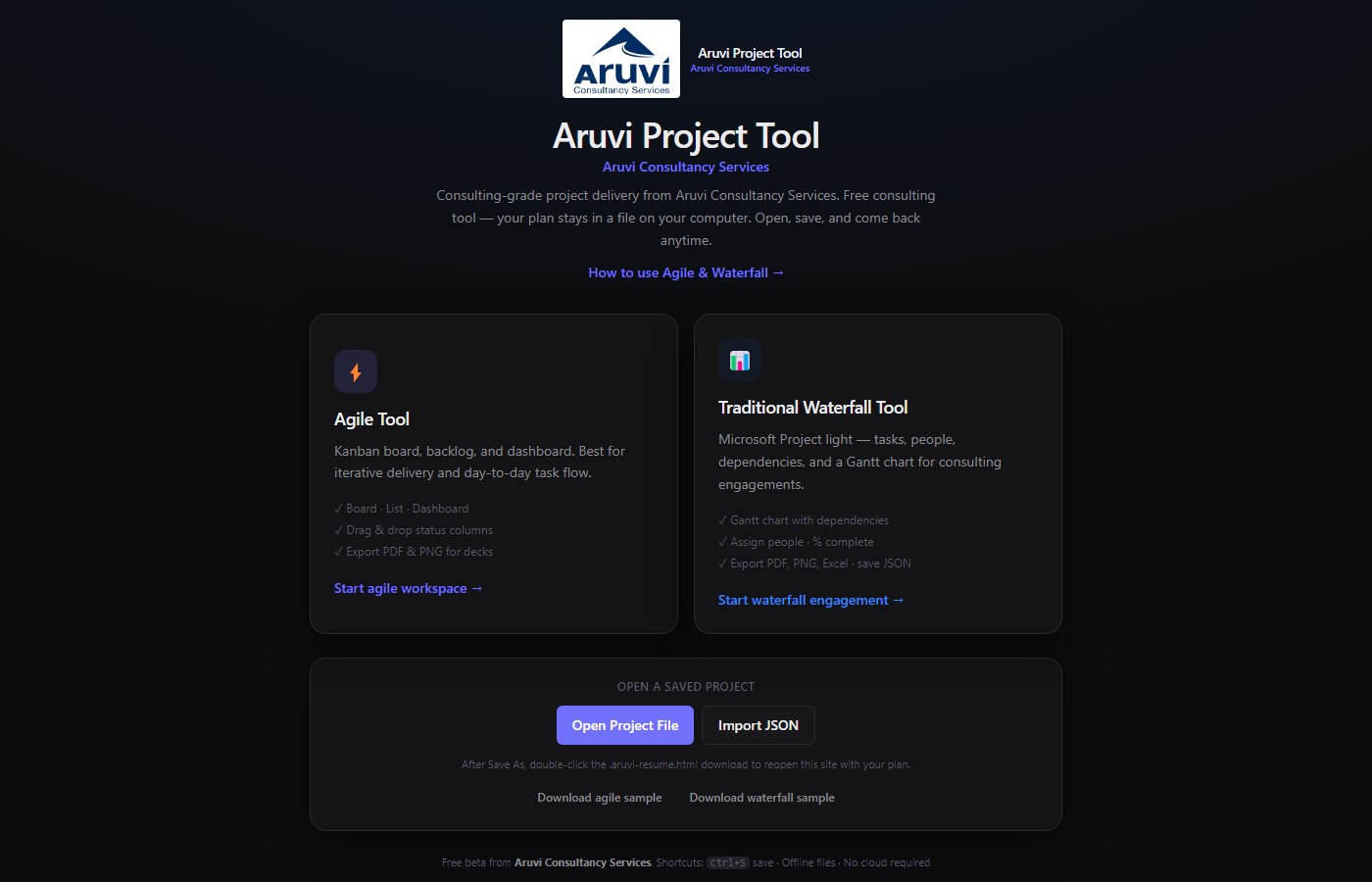
You can also open or import a project file you saved earlier, or continue a session already in progress in that browser.
Figure 1: Home screen: pick Agile or Waterfall, open a saved file, or continue where you left off.
Agile mode is for teams that move work through status rather than only through fixed-date bars. It is especially useful for iterative delivery, operational improvement work, and day-to-day consulting task management.
A practical flow looks like this:
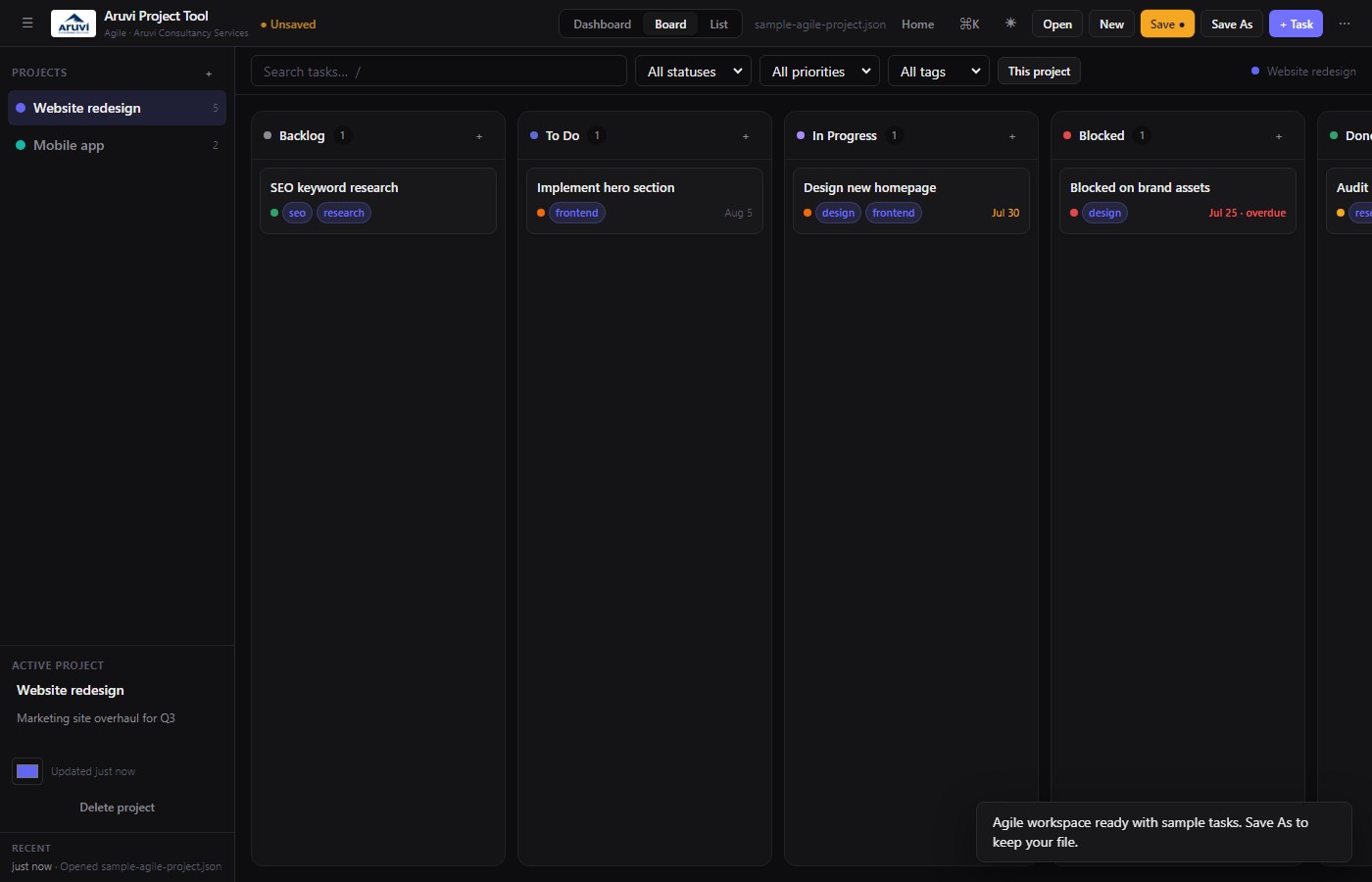
Figure 2: Agile board: status columns, priorities, and a clean header for daily use.
In practice, I use a board when I need flow and bottlenecks visible in a workshop. I use the list when we are sorting priorities or due dates. I use the dashboard when someone asks, “Where are we overall?” without needing a separate reporting tool for a small engagement.
Not every initiative is a kanban board. Regulatory programs, M&A workstreams, implementation cutovers, and many client engagements still need schedule logic: start and end dates, percent complete, people, and predecessor relationships. That is where Waterfall mode earns its place.
A practical flow:
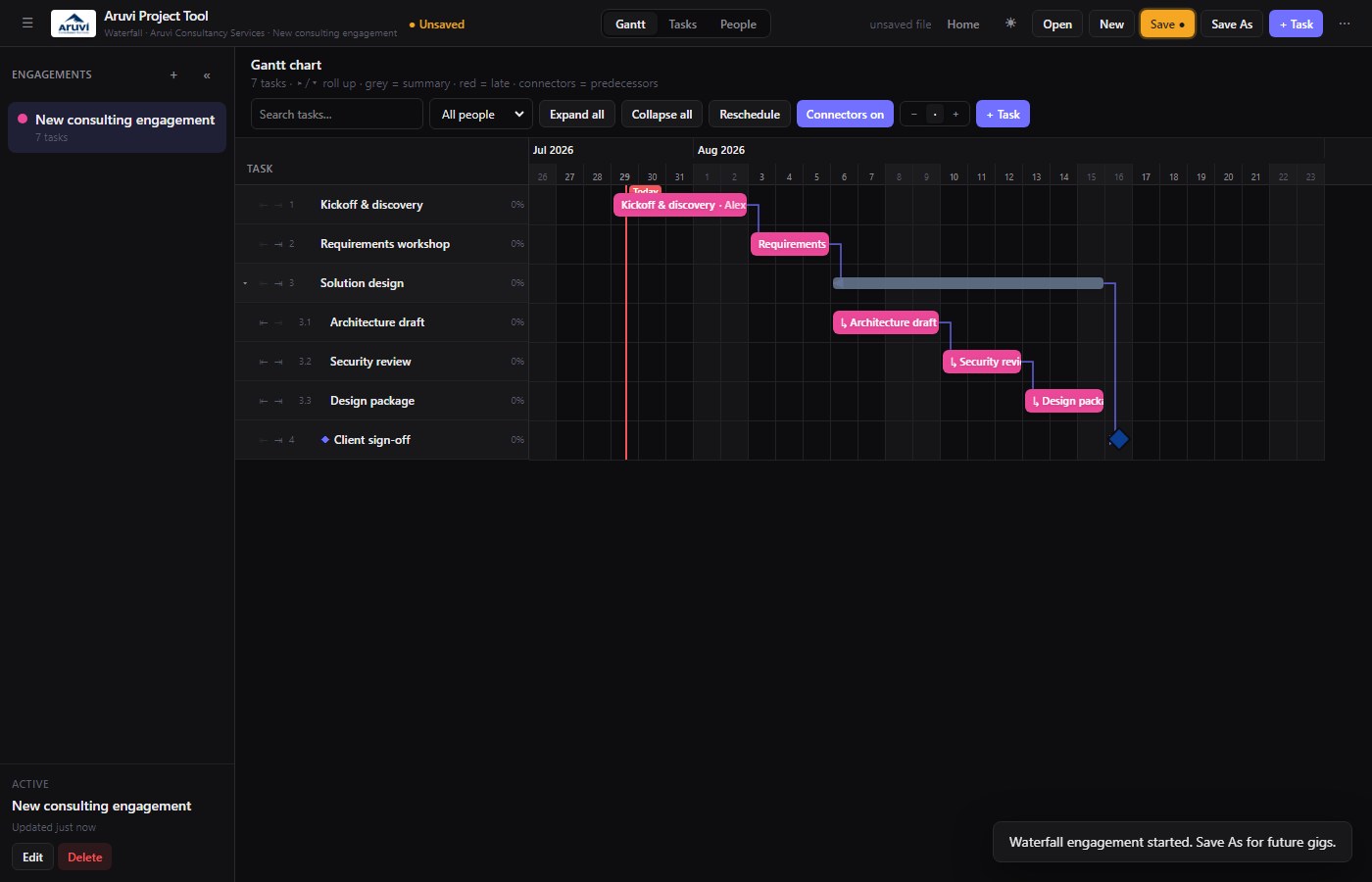
Figure 3: Waterfall Gantt: hierarchy, timeline bars, and progress for consulting-style plans.
This is intentionally “Microsoft Project light” in spirit: enough structure for real engagements, without forcing every user through an enterprise administration model just to run a clean plan.
One design principle mattered throughout: your project data should live in a file you control, not only inside a vendor workspace you rent forever. Save and export options support that:
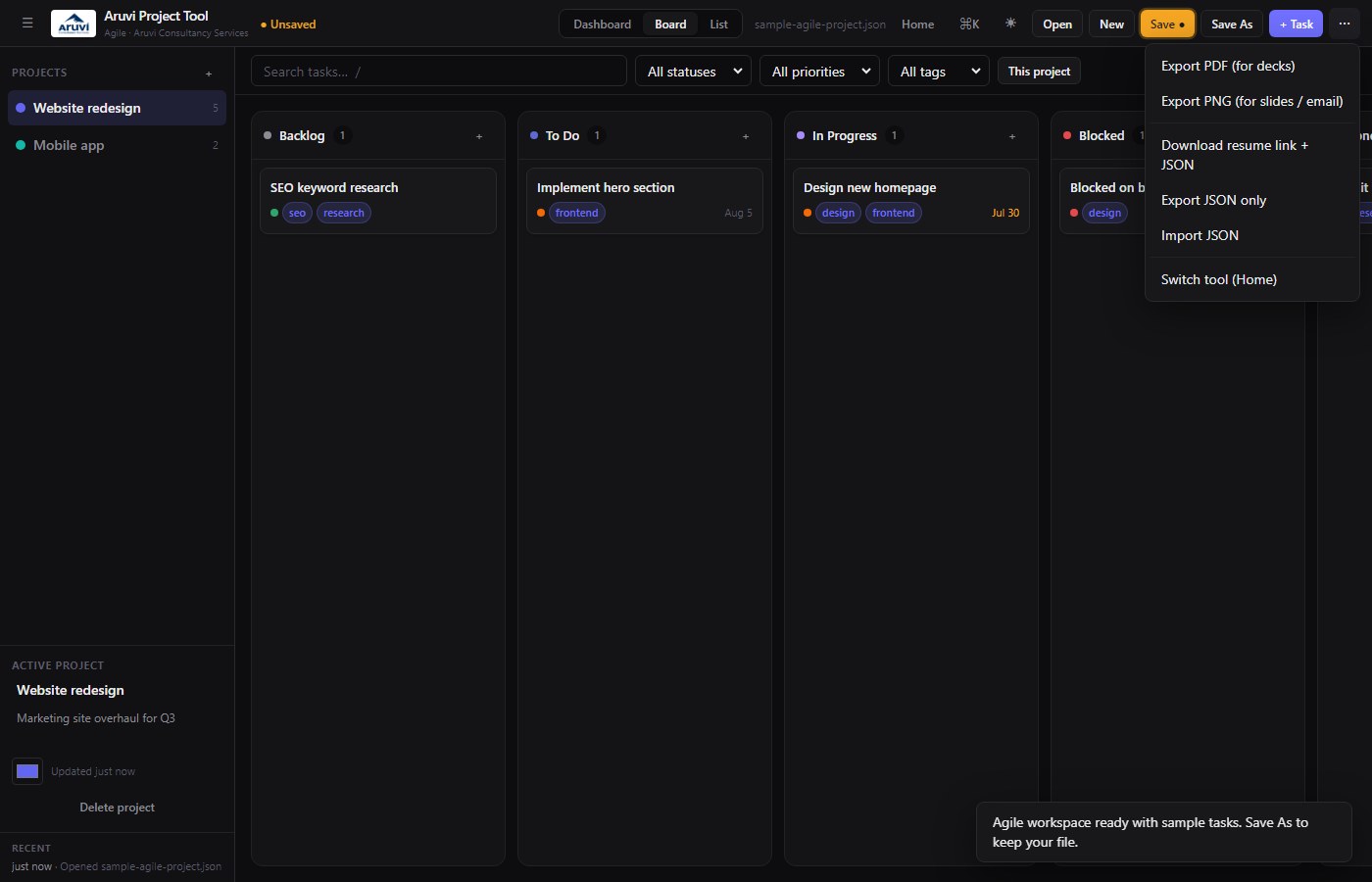
Figure 4: Export menu (⋯): PDF and PNG for decks and email, plus resume link and JSON backup.
That is the point of a free consulting tool done properly. You should be able to plan, communicate, and leave with your work product, without being forced into an expensive annual license for every lightweight engagement.
This is not positioned as a replacement for every enterprise PPM platform in a large portfolio. It is aimed at:
If your organization truly needs multi-portfolio governance, resource leveling across hundreds of projects, and deep integrations, that is a different class of decision. Many day-to-day delivery problems, though, get solved well before that level of investment is justified.
Good delivery tools should reduce friction, not become the project. The Aruvi Project Tool is there so you can choose Agile or Waterfall, keep your data portable, export what stakeholders need, and get on with the work. It is free to use as a beta under Free Tools. It was built the same way I prefer to deliver client software: AI-accelerated, iterative, and anchored to a clear end goal rather than feature theatre.
If you want the step-by-step walkthrough, use the how-to guide. If you want to try it immediately, open the tool and start with the mode that matches your next engagement.
The free tool is a starting point. Many organizations need something closer to their operating model: their fields, their stages, their approvals, their branding, their reporting pack, or a tighter fit to Agile, Waterfall, or hybrid delivery standards they already use.
I can tailor the tool for your specific needs or company, including:
If you want a free starting point, use the tool. If you want it shaped around your organization, reach out. Consulting value often shows up in the adaptation: not only providing a capability, but fitting it to how you deliver.
Reach out for a quick chat on how I can help at Suganth@AruviConsultancyServices.com
Or connect on LinkedIn.