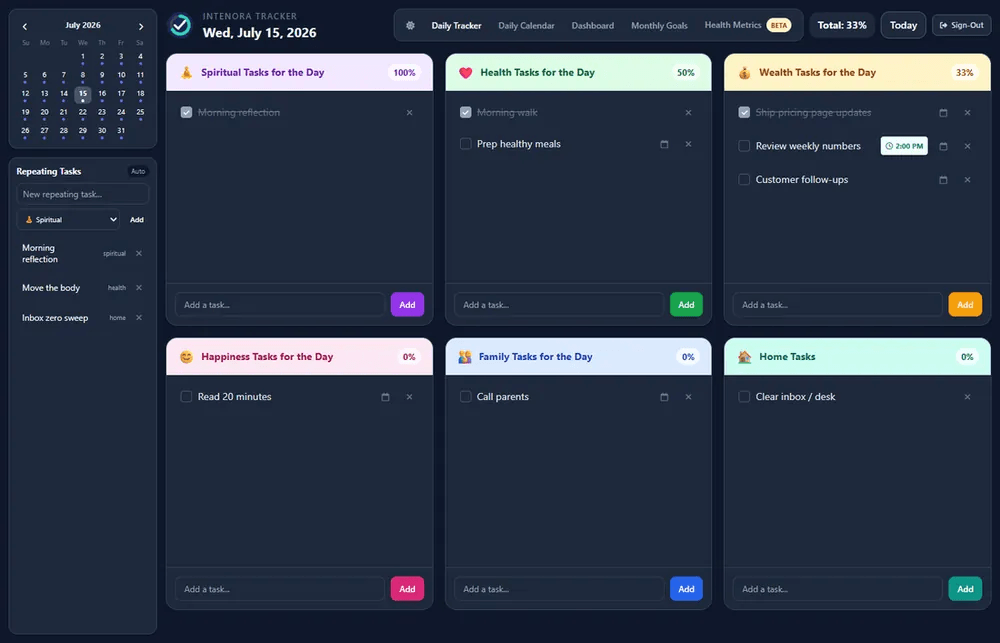
A product I built. Not a client project. Live at intenora.com.
I kept seeing the same pattern in myself. A list of tasks. A calendar that filled up. A vague sense of what I wanted the year to be about, sitting in a note I did not open on a Tuesday morning.
Most productivity tools help you get more done. I am not sure that is always the problem. The harder question, at least for me, is whether the day is pointed at anything that matters. I wanted software that started with direction, then asked what today was for.
I designed and built Intenora myself, through Aruvi Consultancy Services. If you are reading this as a consulting case, the tracker is not the whole point. I wanted to know whether a small practice could take an idea through accounts, cloud data, payments, and a public URL without pretending the model did the thinking.
The loop is simple to say. Name a North Star. Set intentions for the months ahead. Turn those into goals. Break goals into daily actions. Reflect on whether the day matched the intention. Track that across the areas of life you actually care about.
On the live site you will find North Star and intention setting, monthly goals, daily actions, recurring habits, reflection and state management, six life areas you define, calendar planning, Google Calendar, accounts, cloud sync, annual and lifetime payment options, a desktop and phone layout, and Health Metrics (sleep, glucose, eating window, energy, personal markers). Outlook is listed as next. It is not in the product today. I would rather you click around intenora.com than take a feature list on faith.
A clickable mock would have been enough for a screenshot. I wanted the boring parts too. Sign-in. A payment gate. Data that follows you across devices. A tracker you can open on a phone after dinner.
The live flow is: create an account (Google or email), choose a plan, set intentions, then open the tracker. Access unlocks after Stripe confirms payment. That last sentence took more plumbing than the first screen.
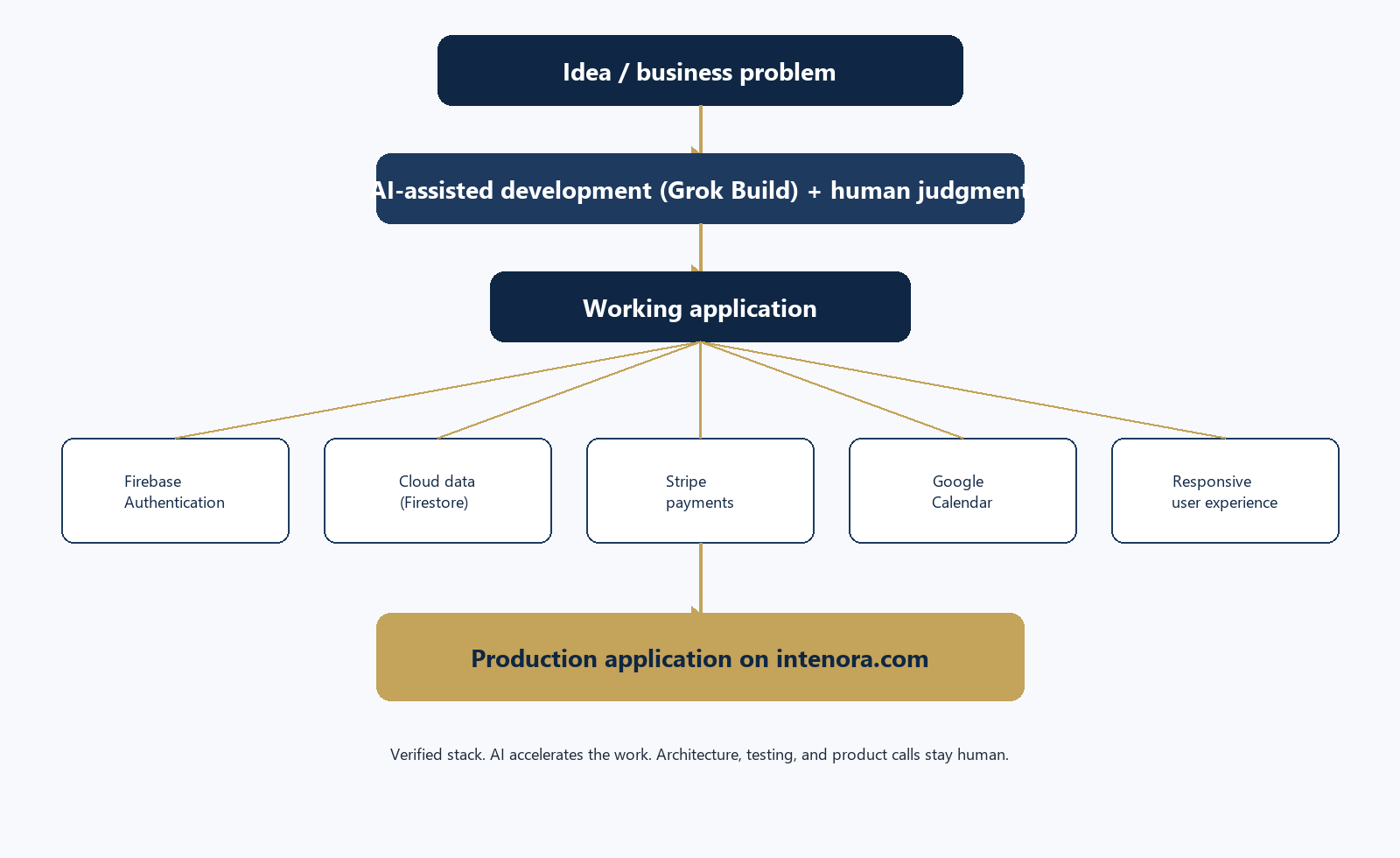
I used Grok Build to move faster on design, code, debugging, and the tenth pass on a screen that was almost right. AI-assisted. I still had to decide what the loop was, which services were necessary, and when a feature was actually live.
I have written that LLMs were a gateway for me. I am not a software engineer in any serious sense of the word. Speed is real. So is the need to check the output. I wrote about that in AI hype vs reality and in a note on enterprise vibe coding.
AI shortened the distance between “this should exist” and “this runs at a URL.” It did not replace architecture, testing, or the call to leave Outlook off the live list.
The production app is a web application: HTML, CSS, and JavaScript, hosted on Firebase. Accounts use Firebase Authentication. Sign-in on the live site is Google or email and password. Application data sits in Cloud Firestore.
Security rules keep that data per user. You can read and write your own record. Google Calendar tokens are not sitting in the browser for anyone to scrape. Cloud Functions handle that path. Unexciting. Necessary if you are going to ask someone to put a North Star in the system.
A prototype usually stops before money. I did not want that. The public pricing page currently lists annual access at $9.99 a year and a lifetime option at $19.99 once (listed through the end of 2026). Checkout is Stripe. Access is meant to unlock after Stripe confirms payment, not because someone clicked a button.
A Cloud Function receives Stripe webhooks and writes payment status onto the user record. If you have ever watched a paywall that is really a decorative overlay, you know why that matters.
Days split when the calendar lives in another app. Intenora connects Google Calendar so Google events can show up in the day, and so blocks you plan in Intenora can update Google Calendar. OAuth and the API run through Firebase Cloud Functions.
I will say this plainly, because write-ups like this love to get ahead of the product. Outlook is next. Not shipped.
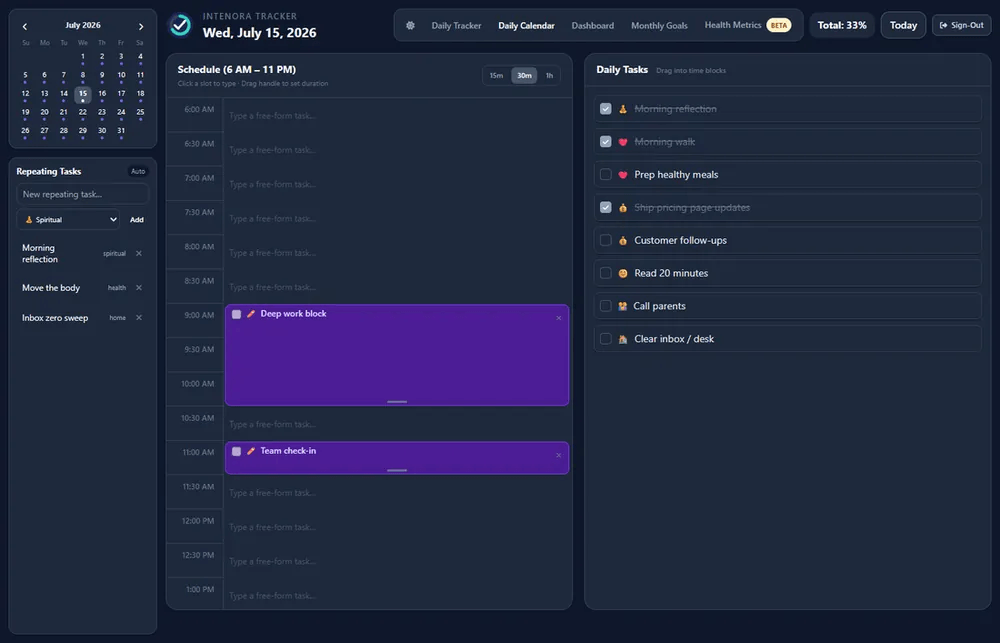
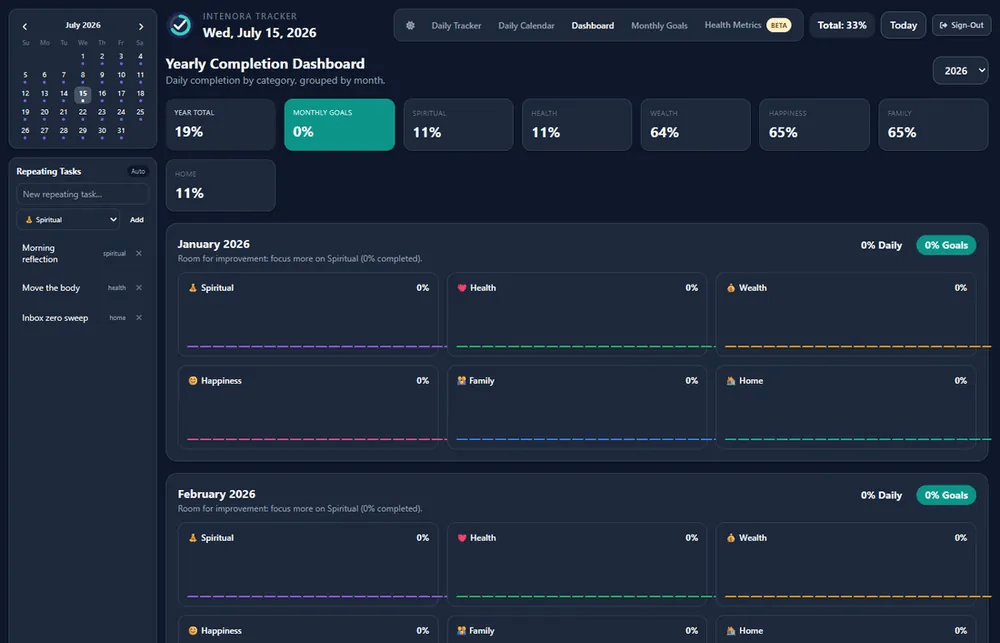
If the tracker feels like a consulting slide, people will not open it tomorrow. The live app has a day view by life area, monthly goals with subtasks, recurring items, a yearly completion dashboard, reflection (emotional and mental state, importance, triggers), and Health Metrics. Dark and light themes. The public site walks the same loop on a laptop and on a phone.
Health Metrics and State Management are live now. They started as beta. Shipping, then tightening, is part of the work. I guess that is the part I used to skip when I only wrote about ideas.
Production, here, means a public URL, Firebase Hosting, Cloud Functions, live Stripe checkout, and Firestore rules that assume real accounts. You can sign in. You can pay. Your data can follow you. I am not attaching user counts or revenue. Those would be invented.
What I can say is a small consulting practice can use AI-assisted development to get from a product concept to a working application, with authentication, cloud services, payments, and an external API actually wired in.
The detailed write-up (stack, screenshots, lessons) is the PDF on the Case Studies page.
Plenty of people have a repo. I would not sell you “I built an app.” For a business owner, a professional-services firm, or someone looking at practical AI implementation, here is what I actually want you to take from this.
An idea can become something people sign into, not only a deck. A fuzzy need (alignment, not “more tasks”) can be broken into a loop software can hold. AI can accelerate the build. It is a poor substitute for architecture and judgment. I have written about that when I tried to explain what agentic AI actually is, and when not to use an agent.
Auth, cloud data, payments, and a calendar API can live in one system. Payments and sign-in are the line between a prototype and something you can put in front of people. You can iterate in production. Beta to live is allowed. Concept through deployment is a consulting skill, not only a developer hobby. I am still learning the developer part. I am not pretending otherwise.
This is the part I care about more than the stack table. AI is most useful when it is tied to a real process or a real person’s need. Before Firebase or Stripe I was asking ordinary business analysis and process questions. What problem are we solving? Who feels it? What should the day look like? What information does the system need? What should be automated, and where does a human stay in control? Which pieces of technology are actually necessary?
Intenora is that mix: process thinking, a bounded first product, an AI-assisted build, and enough implementation that someone can sign in and pay. Same posture as strategy to execution, aimed at a product instead of a program.
Payments and auth are the line. Draw it early.
Per-user data rules are not a later hardening step. They are the product.
AI will happily generate a screen. It will not tell you Outlook is not shipped yet. A public site that lists “next” is more honest than a write-up that pretends those features are live.
Iteration in production is part of the work. I used to treat a first release as if it had to be finished. It is not.
The same shape applies when the “product” is not a consumer tracker. A campaign module on a CRM. A staff tool that has to stay on the network. A workflow that needs a login, a payment, or a calendar. Name the process. Bound the first module. Use AI to move faster. Keep humans on architecture and review.
I do not claim this approach builds everything. I am suggesting it is a way to get from a real business problem to a working slice you can put in front of people, then iterate.
Have a business process, workflow, or product idea you would like to explore with AI?
I am available for an AI discovery conversation. We can look at the problem, the workflow, and whether a first module is even the right move. I will not tell you we can build anything with AI. I will tell you what a first working slice might look like, and what still needs a human.
Reach out at Suganth@AruviConsultancyServices.com or schedule an AI Assessment.